See Today's Meetings on Every New Tab, Without Opening Google Calendar
Here's a daily ritual you might recognize. You open a new tab to check what time your next call is. You open Google Calendar. It takes four seconds to load. You spot an email. Twenty minutes later you're reading about the history of the stapler, and the call has started without you.
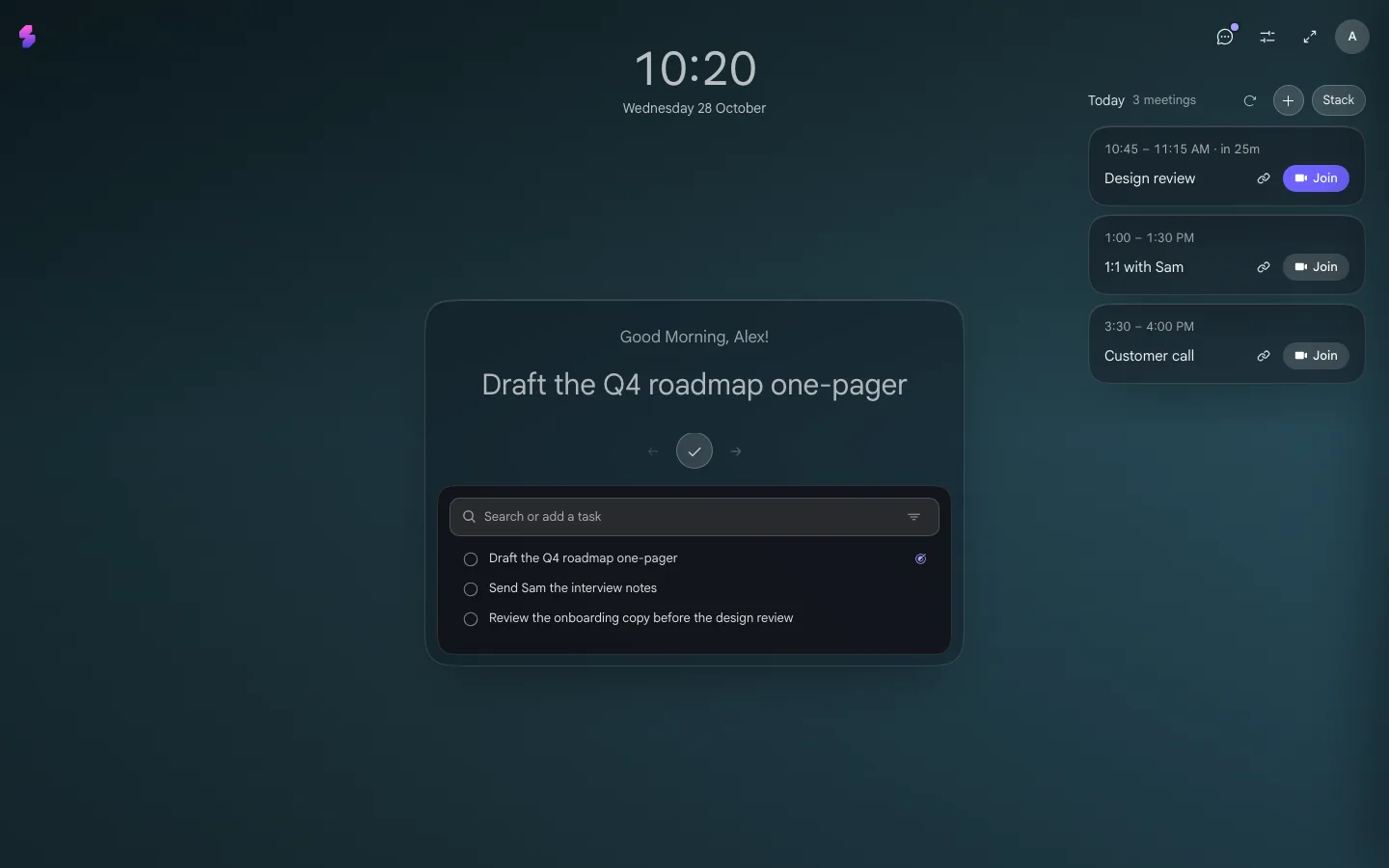
There's a simpler fix: put today's meetings where you already look dozens of times a day. Your new tab. Slaet is a free Chrome new tab that shows today's meetings next to your tasks. If you've been hunting for a Momentum alternative, it's that too, minus the wallpaper-and-quotes layer and the paywall. (Why a place you already look beats an app you have to remember is the whole argument of why you keep forgetting your tasks.)
Below: a two-minute setup, how it fits into your day, and how it stacks up against Momentum.
How to see your Google Calendar on Chrome's new tab with Slaet
Setup takes about two minutes, and most of that is Google asking if you're sure.
First, add Slaet from the Chrome Web Store. If Chrome asks whether to keep the new tab change, click Keep it. Then open a new tab.
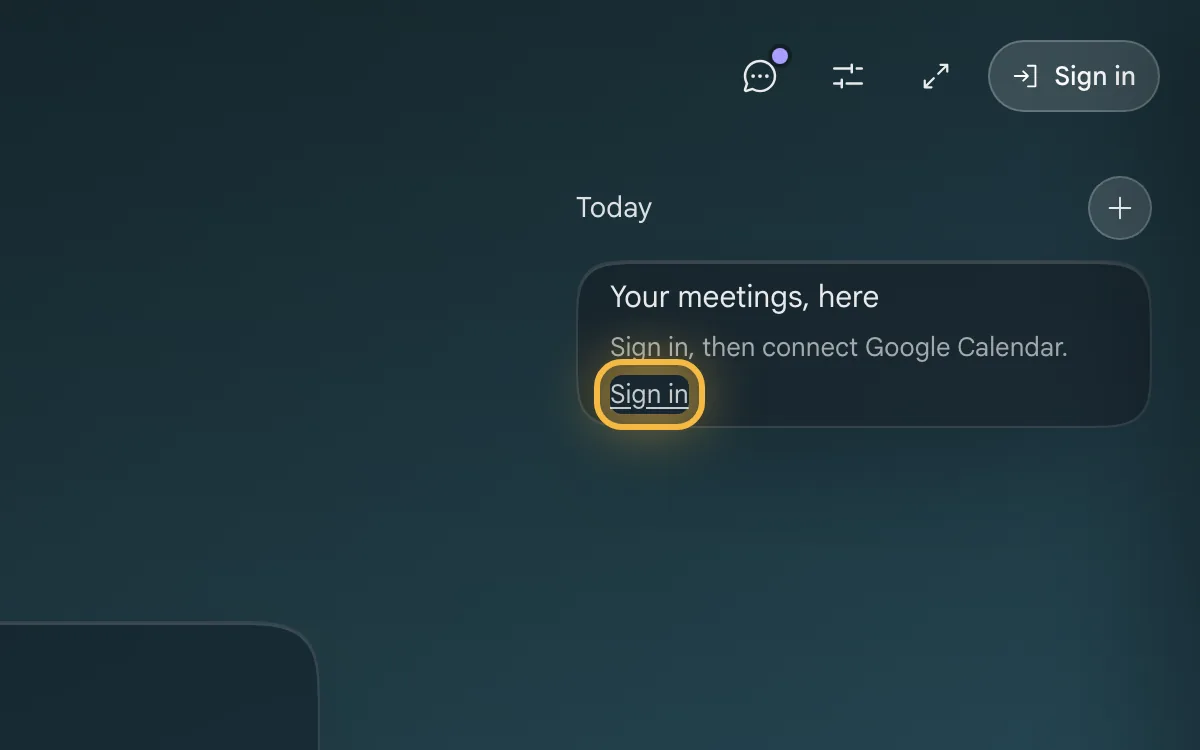
1. Click Sign in on the meetings card
In the top right of your new tab, the Today card says “Your meetings, here”. Click Sign in.
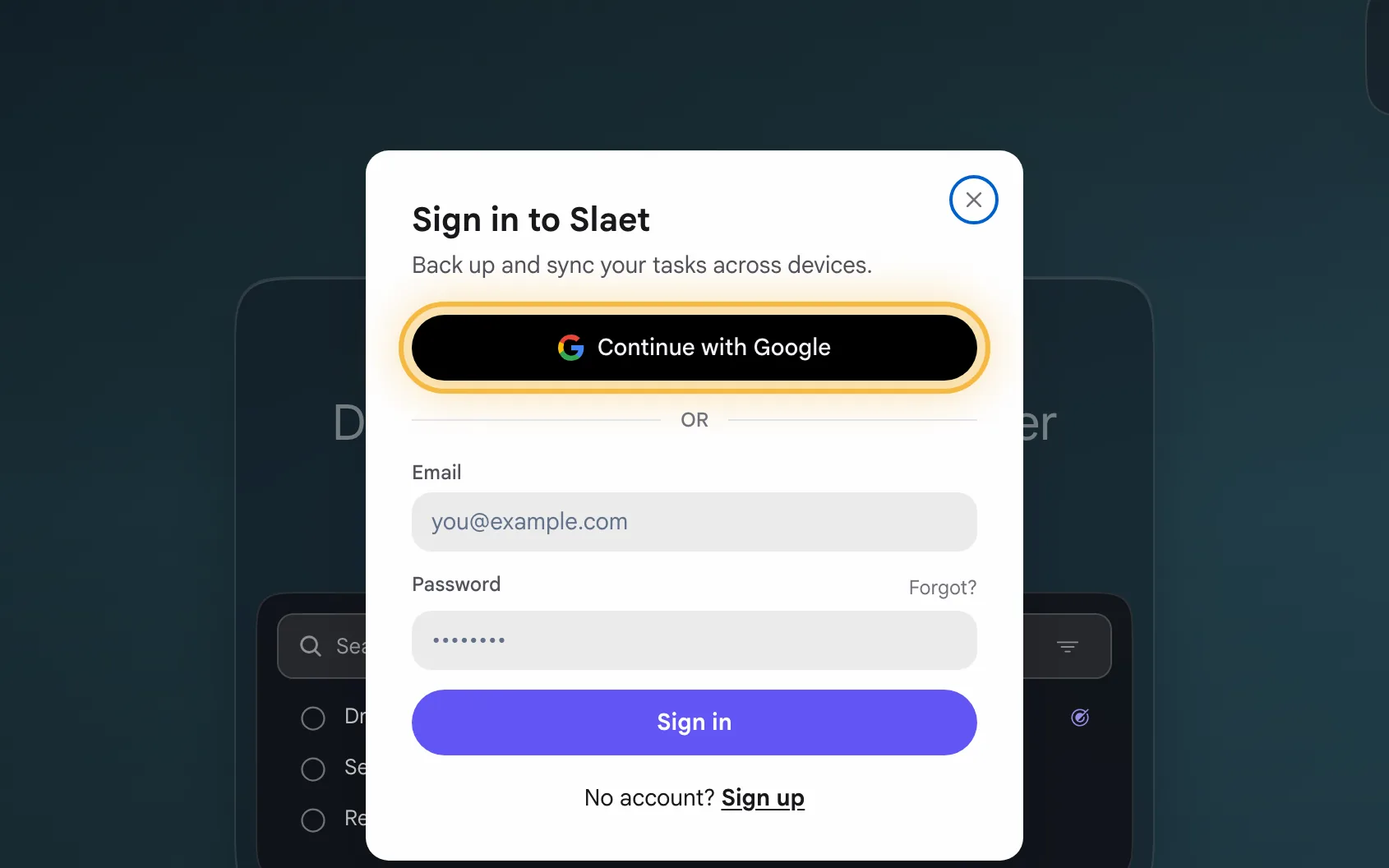
2. Continue with Google
Choose Continue with Google, or use an email and password. Slaet works without an account for tasks and notes, but calendar sync runs on Slaet's servers, so meetings need you signed in.
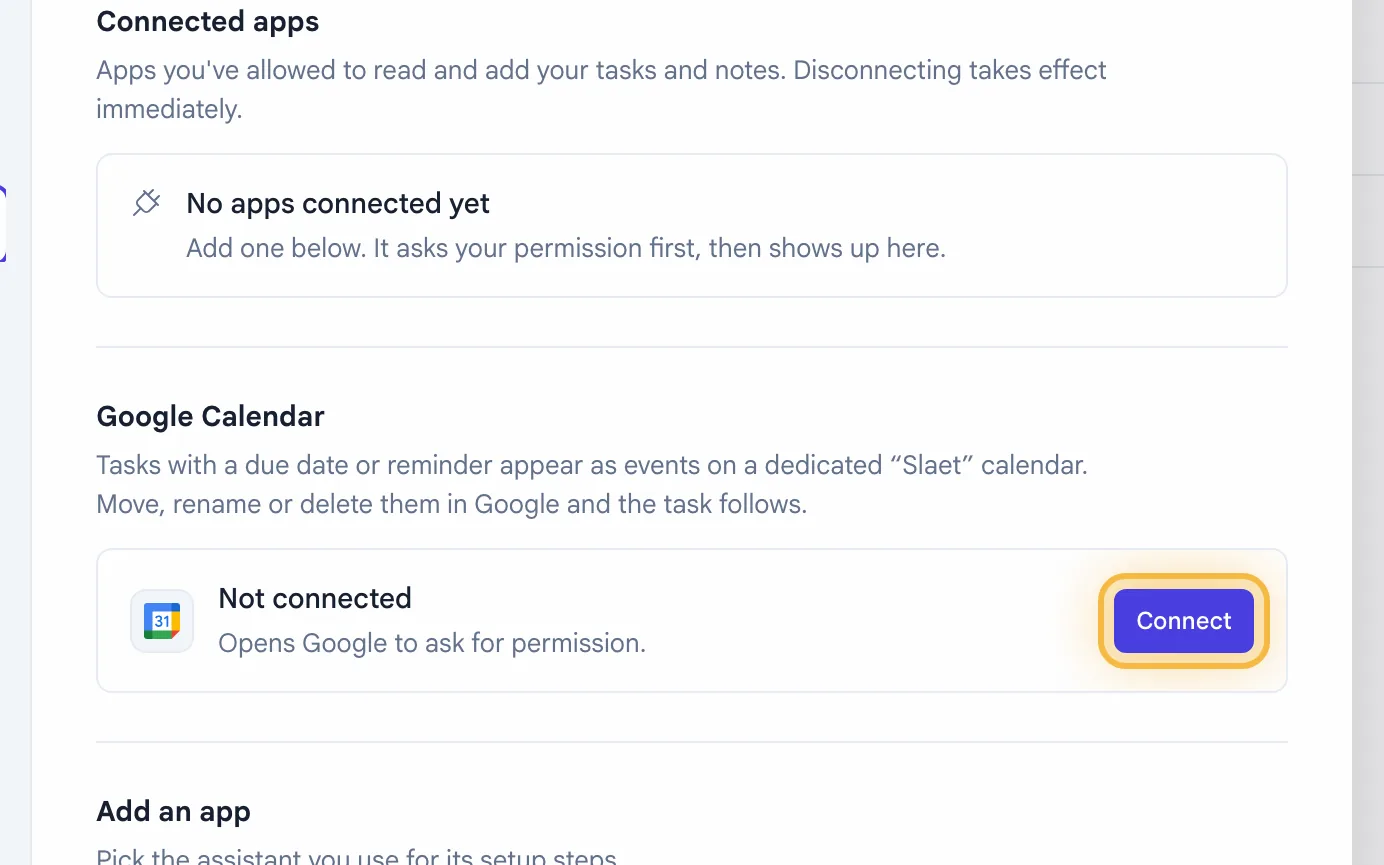
3. Connect Google Calendar
The card now says Connect Google Calendar. Click it, then Connect, pick your Google account and approve. Google asks for two things: read-only access to your events, so Slaet can show today's meetings, and permission to manage one new calendar called “Slaet”, where your tasks with a due date appear. Slaet can't edit anything on your other calendars, and meeting details aren't stored on its servers: they go straight to your device, which keeps them for the current day only. The full detail is on the Google Calendar page.
4. See your meetings
Open a new tab. Today's meetings now sit next to your tasks, and Join opens the Google Meet. That's it. Go do something with the two minutes you just saved on future calendar checks.
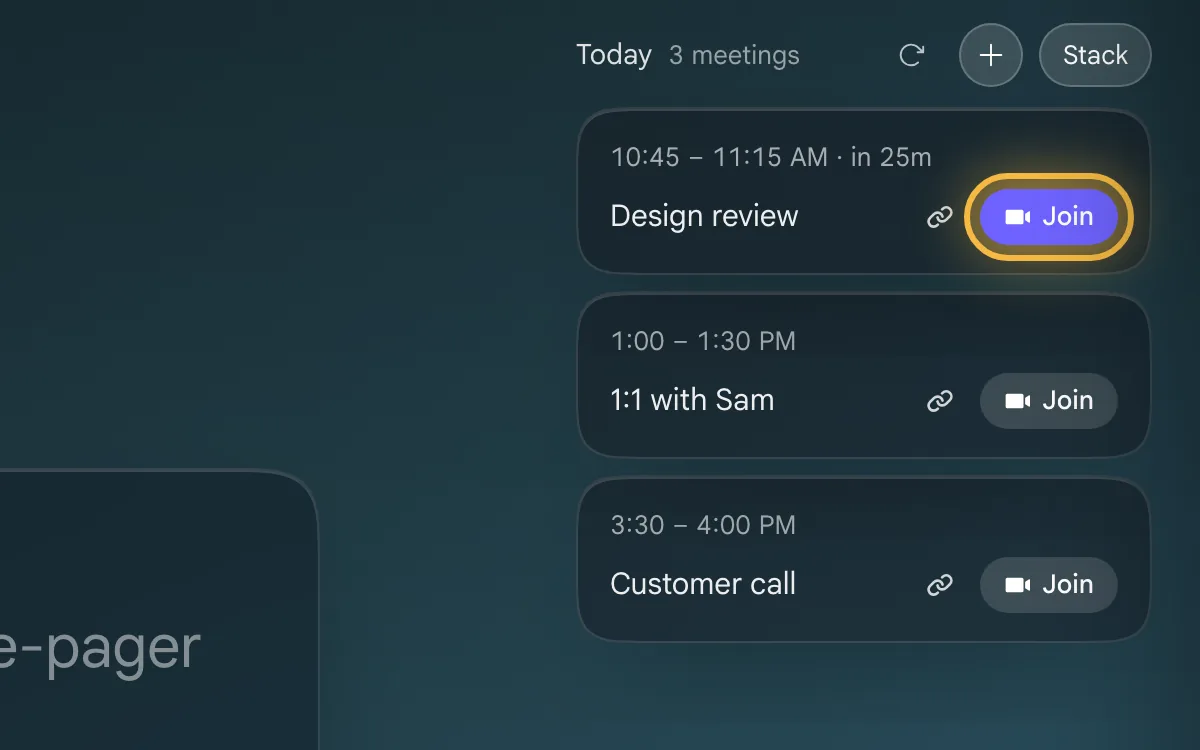
Check you connected the Google account that owns the calendar (work and personal accounts trip up everyone). The refresh button above the meetings pulls the latest list, and the panel only shows what's left of today, so a meeting that has ended drops off. If events still go missing, Resync in Settings → Connections rebuilds everything.
Using it day to day
You open dozens of new tabs a day without thinking about it. With Slaet, each one doubles as a calendar check you didn't have to do. Your schedule finds you, instead of the other way round.
- Glance, don't check. Meetings sit next to your tasks, so “what's next” and “what am I doing” are the same look.
- Today only. Slaet shows the rest of today's meetings, not your whole week. Tomorrow can wait until tomorrow.
- Jump in from the tab. Each meeting has a Join button that opens the Google Meet. In the Chrome extension you also get a notification five minutes before, with Join right in it.
- Prep in the same place. Notes are one keypress away, and a note can attach to the task it belongs to. When you come back after the call, your notes are still on that task instead of lost in a doc you'll never find again.
- It works the other way too. Give a task a due date and it shows up on the “Slaet” calendar in Google, next to your meetings. Drag it to another time in Google and the task follows.
Is Slaet a good Momentum alternative?
Momentum is a calm screen with a to-do list attached. Slaet is your to-do list, notes and calendar with a calm screen attached. Both live on Chrome's new tab. They just disagree on what deserves the middle of it.
| Momentum | Slaet | |
|---|---|---|
| Price | Free; Plus is $39.95/year | Free, no paid tier |
| Built around | Daily photo, quote and mantra | Your tasks, notes and meetings |
| Today's meetings | Plus only (Google or Outlook) | Free, Google Calendar |
| Top task in the center | Plus only | Free. The center card picks your next task to focus on |
| Notes | Plus only | Free |
| Focus mode, site blocker, soundscapes | Plus (focus mode is time-limited on free) | Not in Slaet |
If you want photos of Patagonia and a nudge to breathe, Momentum is lovely and has been for over a decade. If you want to open a tab and see what you're doing, what you wrote down and who you're meeting, without paying to unlock the middle of the screen, that's the gap Slaet fills. The full Momentum comparison goes feature by feature.
Momentum details from its Plus page, Plus overview and homepage, checked October 2026.
When Momentum is the better pick
We'd rather you stay than switch and grumble. Stick with Momentum if:
- You open a new tab mostly for the photo and the quote, and that's the point.
- You need a site blocker, soundscapes or a full focus mode. Slaet doesn't do those.
- Your tasks live in Asana, Todoist or Trello and you want them piped onto the tab. Momentum Plus connects to those.
- You need Outlook today. Momentum Plus connects to it; Slaet connects to Google Calendar only.
- You use Firefox or Safari. Slaet runs in Chrome, Brave, and Edge.
If none of those are you, Slaet is probably the lighter, cheaper fit. Cheaper as in zero.
Frequently asked questions
Try it
Your calendar is already open in some tab somewhere. Probably tab 23. Let it come to you instead.
Add Slaet to Chrome, free
Today's meetings next to your tasks, on every new tab. No paid tier.
Try Slaet free