One Task on the Screen: How Single-Tasking Actually Works
A long to-do list is a menu, and you choose again every time you look at it. Why switching costs more than it feels like, and how to keep one task in front of you.
November 2026 · 4 min read
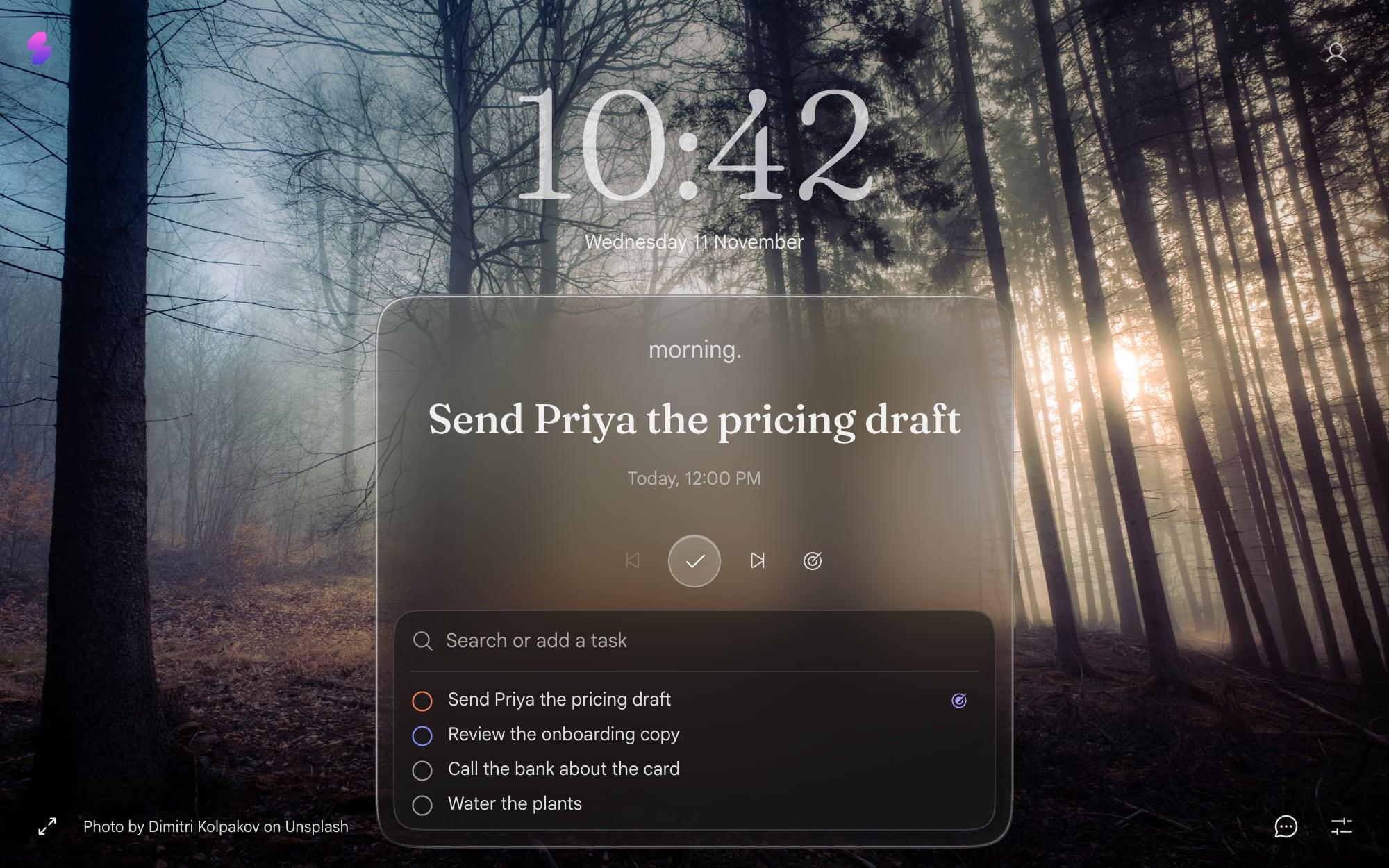
You open your to-do list to start work. Fourteen things look back at you. You pick the easiest one, then check email, then the easiest one again. By lunch the list is shorter and nothing that mattered moved.
A long list is a menu. Menus are great for choosing dinner and bad for doing hard things, because every time you look at one you choose again.
Why switching costs more than it feels like
In 2009 the researcher Sophie Leroy gave a name to something everyone has felt: attention residue. When you move from task A to task B, part of your attention stays on A. People in her studies did worse on the second task when the first one was left unfinished.
So a morning of “quick” switches isn't a morning of quick work. It's a morning of half-attention. Cal Newport built a whole book, Deep Work, on the flip side: the work that matters most tends to need long stretches on one thing.
None of this is news. The hard part is that your tools keep showing you everything at once.
One task on the screen
Slaet's new tab has a focus card. It shows one task, big, and picks the next one from today's list for you. The rest of the list sits underneath, where you can find it but don't have to look at it.
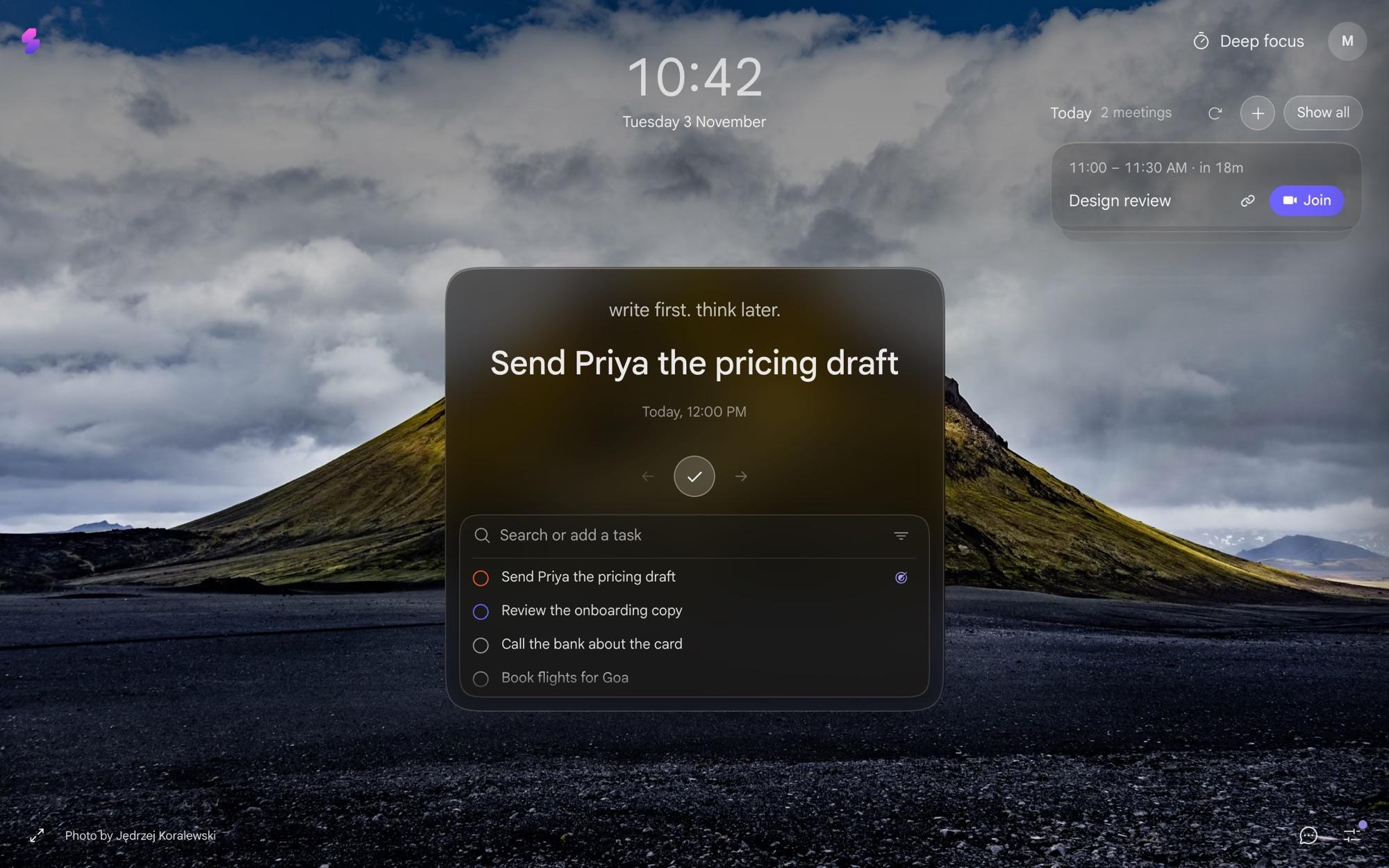
The card does a few small things, and they add up:
- Done checks it off, and the next task takes its place.
- Show me the next one skips a task for now. Back brings the one you skipped back.
- The focus icon on any task in the list keeps that one on the card, so you choose, not the order.
- An empty card asks for one: add a task below and it becomes your focus. Not now rests the card with a quote until tomorrow.
If even the list underneath is too much, Settings can hide it once you've picked a focus for the day. Then it's just the one task on every new tab, all day.
When one task needs an hour, not a glance
The card is for remembering what's next. Some tasks need a closed door. Press Deep focus on the card and the task gets the whole screen, with a 25, 50 or 90 minute timer.
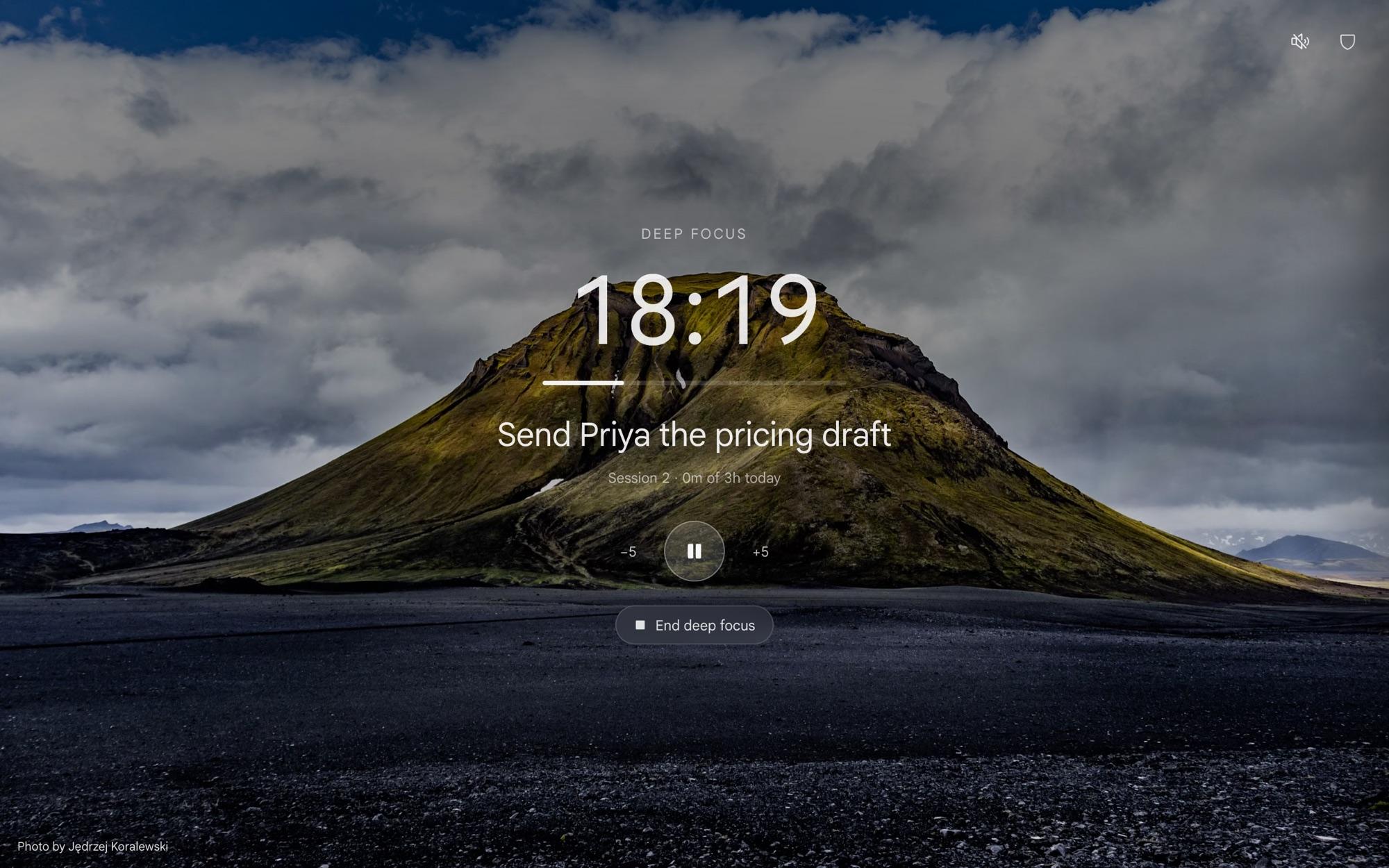
You can block social media and video for the length of the session. How that works, and how it compares to a dedicated blocker, is in Slaet vs BlockSite.
How to pick the one task
Three questions, in this order:
- Is something due today that will hurt if it slips? Do that.
- Is there one task that makes three others smaller or unnecessary? Do that.
- Which one have you been avoiding? It's usually the one that matters. Why that happens is in the intention-action gap.
Then stop choosing. The card will be there on the next tab, and the next.
Why I built it this way
I used to keep a beautiful list and still spend the morning on the wrong thing. What fixed it wasn't a better list. It was seeing one task every time I opened a tab, so the decision was already made. If your list keeps slipping out of sight altogether, why you keep forgetting your tasks is the companion to this one.
Frequently asked questions
What is single-tasking?
Working on one task until it's done or you deliberately stop, instead of switching between several. The point is fewer switches, because each one leaves part of your attention on the last thing.
How does Slaet decide which task to show?
The focus card on your new tab picks your next task from today's list. You can skip to the next one, go back, or press the focus icon on any task to keep that one on the card instead.
Can I hide the rest of my list?
Yes. In Settings you can hide the list once you've chosen a focus for the day, so the card shows just the one task.
Does it work without the extension?
The focus card is on the Slaet new tab, which comes with the extension for Chrome, Brave and Edge. The web app at app.slaet.space has the same tasks, without the new tab.
Slaet for Chrome, Brave and Edge
One task on every new tab. The rest of the list can wait.